Quick answer: This function health app review finds the Function Health app is a polished, well-designed iOS interface for viewing your lab results, tracking biomarker trends, and reading short educational context for each marker. For what it does, it works well. The frustrations show up at the edges: the Android version lags in feature parity, push notifications for result delivery can be unreliable, the trend graphs need at least two draws to become useful, and the in-app messaging with clinicians is slower than most members expect. If you are already a Function member, the app is the right place to manage everything. If you are evaluating the membership, the app quality alone should not be the deciding factor.
What the Function Health app actually does
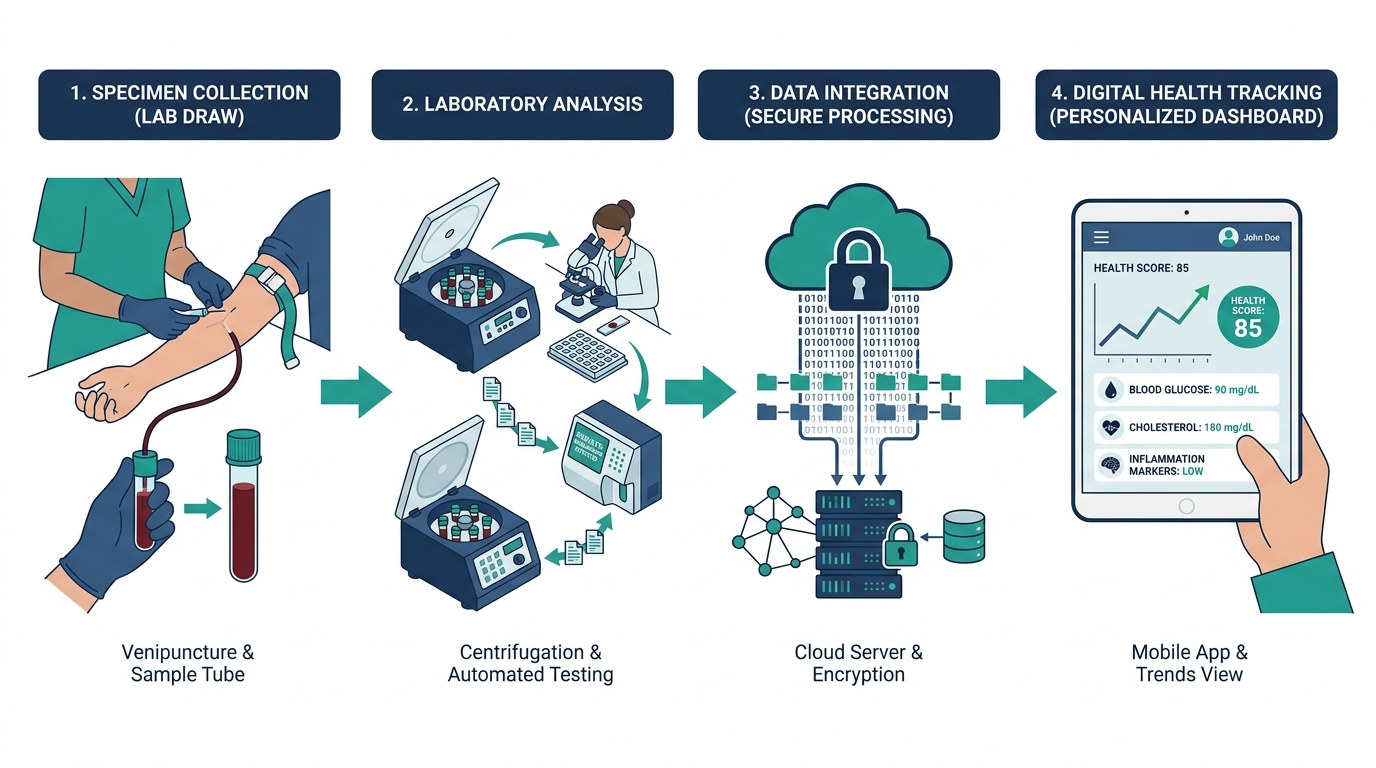
The Function Health app is the primary interface for everything after you book your blood draw. It pulls your results from the lab, displays each biomarker with a reference range, flags values outside optimal (not just outside clinical normal), and stores a full history so you can track movement over time. The app also handles scheduling, lets you message the clinical team, and gives each marker a short plain-English explanation of what it measures and why it matters.
A polished app is nice, but what matters more is what’s actually in your results. See a 150-biomarker panel for yourself. One at-home Superpower draw checks 100+ biomarkers, physician-reviewed.
What it is not: a fitness tracker, a glucose monitor integration hub, or a wearable sync platform. Function does not connect to Apple Health, Garmin, or Oura as of mid-2026. The app is purely a lab-result viewer and member portal, which is fine if you understand that going in. For a broader look at what the membership covers beyond the app, see our function health review.

iOS app rating and real user experience in 2026
The Function Health iOS app currently holds a 4.6 to 4.8 rating on the App Store, with ratings clustering around the result-delivery experience and the educational content for each biomarker. That is genuinely high for a health data app, where competitors frequently sit in the 3.5 to 4.2 range due to sync bugs and confusing interfaces.
The positive reviews follow a pattern: members appreciate the clean visual layout, the color-coded optimal range system, and the fact that each result comes with a “what this means” explainer that does not require a medical degree to parse. The negative reviews cluster around three specific issues:
- Results appearing in the app before the clinical team has reviewed them, creating anxiety about numbers without context.
- Push notification delays, where some members receive a notification days after results were already available.
- The in-app messaging queue, which can run 24 to 72 hours for a response rather than the same-day turnaround some members assume is standard.
None of these are fatal flaws, but they are worth knowing before you expect the app to feel like a real-time health dashboard.
Navigating the result dashboard: what you see and how to read it
When your results land, you open a list of every biomarker drawn, grouped by category (metabolic, thyroid, hormones, cardiovascular, immune, and so on). Each entry shows three things: your value, the clinical reference range, and Function’s narrower “optimal” range. The optimal range is where the app adds real value over a standard lab printout. Quest or Labcorp will tell you whether you are inside or outside the broad population-normal band. Function flags a tighter window, often citing functional medicine research, and color-codes accordingly: green for optimal, yellow for suboptimal, red for out of range.
Tapping any marker opens a detail screen with a short explanation, factors that affect the number (sleep, diet, stress, supplements), and what direction you want to move if you are off. This is genuinely useful for markers most people have never heard of, like GGT, hs-CRP, or DHEA-S.
One design choice that frustrates some members: the app defaults to showing the optimal range bands rather than the clinical reference range. If your doctor uses the clinical range and your Function app shows your result as yellow, that discrepancy can create unnecessary confusion. You can toggle to see the clinical range, but the setting is buried two taps deep.

Trend tracking and the 12-month graph
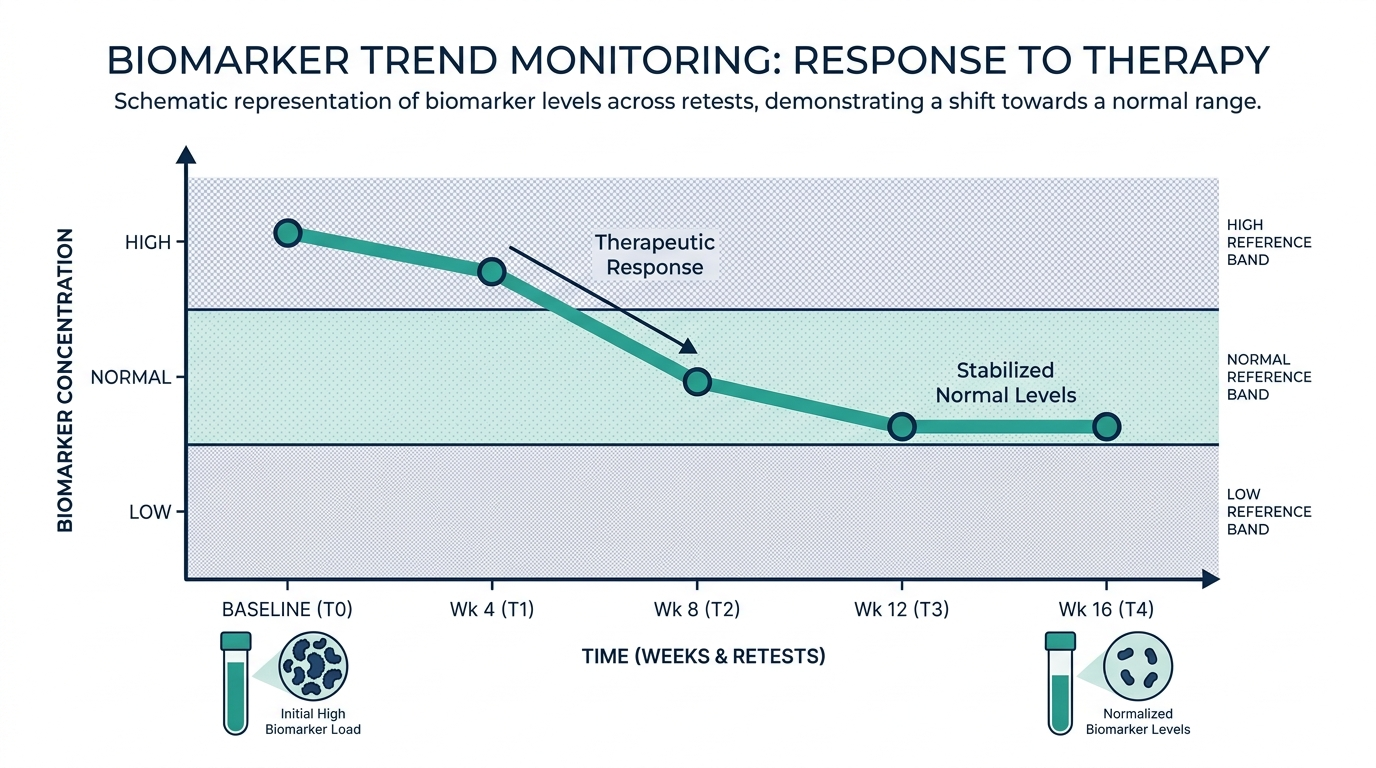
The trend graph is the feature that makes the second draw feel completely different from the first. With one data point, the app is a static result viewer. With two or more, it becomes a timeline that shows whether your TSH moved after you started selenium, whether your LDL responded to dietary changes, whether your ferritin is trending up or still low six months after supplementing.
Function draws are semi-annual by default (two per year with the standard membership), which means you are looking at 6-month intervals on the graph. For slow-moving markers like HbA1c, thyroid antibodies, or testosterone, that cadence is fine. For faster-moving markers like cortisol, fasting insulin, or CRP, a 6-month gap can miss a lot of signal.
The graph itself is clean: a simple line chart with date markers, a shaded optimal range band, and dots for each draw. You can zoom in on any time window. What the app does not do is annotate the graph with events you logged (“started metformin,” “switched to keto,” “sleep improved”). There is no lifestyle journaling layer. You can add notes to individual draws in a free-text field, but those notes do not appear on the graph itself, which is a missed opportunity for a product that markets itself around understanding change over time.
Android vs. iOS: the gap that still exists
The Function Health mobile app launched on iOS and that is still where it gets the most development attention. As of mid-2026, the Android version has the core functionality (result viewing, basic trend charts, scheduling), but several features available on iOS are absent or limited on Android: the detail-rich marker explainers are shorter, the notification system is less reliable, and some members report the Android build running noticeably slower on result-heavy profiles with multiple draws.
If you are an Android user evaluating Function, this is worth asking their support team about before signing up. The gap has narrowed compared to 2024, but it has not closed. See our function health app overview for a side-by-side feature list.
In-app messaging with the clinical team: how it actually works
Function’s model is not telehealth in the traditional sense. You do not book a live video call through the app (at least not in the standard membership tier). Instead, you send a message to the clinical team, and a clinician responds asynchronously. The response window is typically 24 to 72 hours, sometimes faster.
For most questions (“my ferritin came back at 14, what should I do?”), the async model works fine. Where it breaks down is when a result flags as critically abnormal and you want immediate clarification. Function’s clinical team will reach out proactively if a result requires urgent attention, but the in-app chat is not designed for urgent consults. If you need real-time clinician interaction around your results, that is a gap in the product and worth knowing before you commit.
For questions about getting in touch with the team outside the app, we have a separate guide on function health customer service contact that covers phone, email, and escalation paths.
Function Health app pros and cons
After walking through the feature set in detail, here is where the app lands on a practical pros-and-cons basis:
| Strengths | Weaknesses |
|---|---|
| Clean, readable result layout with color-coded optimal ranges | No wearable or Apple Health integration |
| Per-biomarker educational explainers that are actually useful | Android lags behind iOS in features and performance |
| Trend graphs show clear movement across draws | Lifestyle annotations do not appear on trend graphs |
| Scheduling and history all in one place | In-app messaging is async, not real-time |
| High App Store rating with consistent UX | Push notifications can be delayed by hours or days |
| Optimal range vs. clinical range toggle available | Optimal range toggle is buried in the UI |
Is the Function Health app worth it as a standalone reason to sign up?
No, and framing the question this way is actually a signal you are evaluating the wrong thing. The app is the delivery mechanism for the lab membership, not the product itself. Paying roughly $499 per year (see the full breakdown in our function health cost guide) for a nice app interface would be irrational. You pay for the 100-plus biomarker panel, the physician review, and the longitudinal tracking. The app is where that value shows up on your screen.
That said, the app quality matters because a bad interface can bury the value of good data. Function’s app is genuinely above average for health data apps. It is not as sophisticated as some clinical platforms built for practitioners, but it is more accessible than any lab portal a hospital system has ever produced.
Where the app becomes a deciding factor is for power users who want deep data manipulation: exporting to CSV, writing their own notes that annotate trend lines, syncing with a CGM, or layering HRV data next to hormone results. None of that exists inside the Function app today. If you want a richer data environment, you would need to export your results manually and build that layer yourself in a spreadsheet or a tool like Heads Up Health.
The simplest way to actually get this done
Superpower is a full-body lab membership that runs 100+ biomarkers, has each result reviewed by a doctor, and tracks your numbers year over year (about $199/year). It is what we point readers to when they would rather get one clean, complete draw than chase single tests one at a time. Here is superpower reviewed in full.
How Function compares to Superpower on app experience
Both Function Health and Superpower deliver results through a dedicated app, and both sit above average in the lab-membership app category. The practical differences come down to what each app is optimized for.
Function’s app is optimized for volume: you have 100-plus markers to review, and the categorical grouping, color-coding system, and educational content are designed to help you process a large result set without needing a clinician on the phone. The app carries a lot of the interpretive weight.
Superpower’s app skews toward the physician-facing interaction. The doctor review is more central to the experience, and the app is designed to surface the conversation with your physician rather than asking you to self-interpret. For members who want more guided interpretation, that difference matters.
Membership pricing is also very different: Function runs around $499 per year for the standard membership, Superpower runs about $199 per year. See how much does superpower cost for the current breakdown.
Optimal ranges versus clinical ranges: the nuance the app puts front and center
The single most consequential design choice in any lab app of this kind is showing a narrower optimal range next to the standard clinical reference range. It is also the feature most likely to confuse or alarm someone, so it is worth understanding what is actually going on underneath those colored bands.
A standard clinical reference range is a statistical construct. For most markers it is set at roughly the middle 95 percent of a reference population, meaning 2.5 percent of healthy people fall below and 2.5 percent above by definition. Critically, that reference population often includes people who are older, heavier, or less healthy than someone actively optimizing their health. The classic example is TSH, whose common range of about 0.4 to 4.0 mIU/L was derived from populations that included undiagnosed thyroid disease. An optimal range narrows that window based on where a marker is thought to sit in genuinely well people. Neither is wrong; they answer different questions.
- Clinical range answers: is this value abnormal enough to suggest disease?
- Optimal range answers: is this value where a thriving, healthy person would want it?
The practical trap is emotional. A result that lands yellow in an optimal view but green on your doctor’s clinical printout is not a contradiction, and it does not mean your doctor missed something. It means one system is flagging room for improvement while the other is flagging disease. When those two disagree, the sane move is to note the gap, avoid panic, and raise the specific marker with your clinician rather than treating a suboptimal flag as a diagnosis. An app can suggest a direction to move; only a clinician who knows your history can decide whether it matters for you.
A practical workflow: turning a wall of biomarkers into three decisions
The most common failure mode with a 100-marker report is paralysis. Everything is interesting, so nothing gets acted on. A simple triage workflow keeps a large result set useful rather than overwhelming, whichever lab app you are using.
- Step 1: Sort into three buckets. Go through the report once and tag each flagged marker as either clearly abnormal (outside the clinical range), suboptimal but in range, or normal. Only the first two buckets need any attention.
- Step 2: Separate confirm-first markers. Some markers are noisy day to day, especially cortisol, fasting insulin, hsCRP, and the sex hormones. If one of these is flagged in isolation, the first action is a repeat draw under standardized conditions, not a lifestyle overhaul.
- Step 3: Pick a maximum of three levers. From the stable, genuinely off markers, choose the two or three with the clearest, most actionable fixes. A low vitamin D, a low ferritin, and a creeping fasting glucose are concrete and addressable. Trying to move fifteen numbers at once means you will never know what worked.
- Step 4: Set the recheck date. Match your next draw to how fast the marker responds. Vitamin D and ferritin shift over months, HbA1c reflects a roughly three-month window, so a follow-up in three to six months tells you whether your changes landed.
- Step 5: Escalate the real flags. Anything clearly abnormal, or any pattern that worries you, goes to a clinician rather than into a self-directed experiment.
Handled this way, a giant panel stops being a source of anxiety and becomes a short, prioritized to-do list with a built-in feedback loop.
Health data security: what to check in any lab app you trust with your biomarkers
Any app that stores a full biomarker history is holding some of the most sensitive data you own. App polish is easy to see; data practices are not, and they deserve a look before you commit years of results to a platform.
- Read the privacy policy for secondary use. The key question is whether your data can be shared, sold, or used for research or marketing, and whether that is on by default or opt-in. This is often buried, but it is the single most important line to find.
- Understand it may not be HIPAA-covered. Consumer wellness apps are not always covered by the same rules as a hospital or a doctor’s office. That does not make them unsafe, but it changes who governs your data, so do not assume clinical-grade protections apply automatically.
- Check account security basics. Look for two-factor authentication and a clear account-deletion path. The ability to actually delete your data, not just close the app, is a meaningful signal of good practice.
- Keep your own copy. Regardless of the platform, export your PDF reports and store them somewhere you control. Your longitudinal record should survive any single company’s future business decisions.
- Be deliberate about integrations. Every wearable or third-party tool you connect widens the surface where your data travels. Connect what adds real value and skip the rest.
None of this is a reason to avoid lab apps; the convenience and trend tracking are genuinely useful. It is a reason to choose deliberately and to keep an independent copy, so your health record is never hostage to one interface.
Curious what your own levels look like?
Baseline 100+ biomarkers today and retest as life changes, all in one membership with physician review.
FAQ
What is the Function Health app rating on the App Store?
The Function Health iOS app typically holds a 4.6 to 4.8 star rating on the App Store as of 2026. Ratings fluctuate after major app updates. The most common positive feedback covers the clean interface and educational content per biomarker; the most common negative feedback covers push notification delays and async messaging response times.
Is there a Function Health Android app?
Yes, there is an Android version of the Function Health app. As of mid-2026, it has the core features (result viewing, scheduling, basic trends) but lags behind the iOS version in some areas, including richer marker explainers and notification reliability. Function has been closing the gap gradually, but iOS remains the primary development target.
Can I export my Function Health results from the app?
Function Health allows you to download a PDF of your results from the app or member portal. There is no native CSV export or structured data export for use in third-party tools like Heads Up Health or a personal spreadsheet. If you want a raw data file, you would need to manually transcribe values or use the PDF as a reference.
Does the Function Health app sync with Apple Health or wearables?
No. As of 2026, the Function Health app does not integrate with Apple Health, Garmin Connect, Oura, Whoop, or any wearable platform. The app is a standalone lab-result viewer and member portal. There is no way to view your HRV, sleep, or step data alongside your biomarker trends in the same interface.
How do I message a clinician through the Function Health app?
The in-app messaging feature is accessible from your result screen or the main member portal menu. You type your question, attach a result if relevant, and send it to the clinical team. Responses typically arrive within 24 to 72 hours. This is an asynchronous communication channel, not a live chat or video consult. For urgent questions, Function’s support team recommends calling their member services line directly.
Is the Function Health app worth it if I only plan to use it once?
The app’s value compounds with multiple draws. For a single blood panel, the app is a decent result viewer, but you will not see trend graphs or year-over-year movement. If you are doing one draw to get a baseline and have no intention of returning, the app experience is fine but unremarkable compared to what a standard lab portal delivers. The real differentiation kicks in when you have two or more draws and can watch specific markers respond to changes you made. Talk to a clinician about your results if any values fall outside the ranges shown.
What are the most common complaints about the Function Health app?
The most consistent complaints in App Store reviews and member forums fall into three categories: push notifications that arrive late (sometimes a day or more after results are ready), the async messaging queue which can feel slow when you have an urgent question about an abnormal result, and the Android version having fewer features than iOS. Some members also mention that optimal range thresholds feel aggressive, flagging values as suboptimal that their doctors consider completely normal.
How does the Function Health app handle abnormal results?
When a result falls outside the clinical reference range (a genuinely abnormal value, not just outside the tighter optimal range), Function’s clinical team is supposed to reach out proactively through the app or by phone before the member sees the result. In practice, some members report seeing flagged results in the app before receiving any outreach. If you see a critically out-of-range value, do not wait for the app to explain it. Contact Function’s clinical team directly or speak to your own doctor. The app is a great tool for tracking and learning, but it is not a substitute for clinical judgment on a troubling result.
Vital Signs Today may earn a commission if you buy through links on this page. It does not affect our editorial assessments.