Quick answer: Function Health account setup takes about 10 to 15 minutes and happens entirely in the app or on functionhealth.com. After you sign up, you complete a health history form, optionally connect Apple Health for passive data like sleep and heart rate, schedule your blood draw at a Quest or Labcorp site, and then fast for 12 hours before your appointment. Most members receive digital results within 48 to 72 hours of their draw, with each biomarker flagged and explained inside the dashboard.
What the Function Health setup process actually looks like
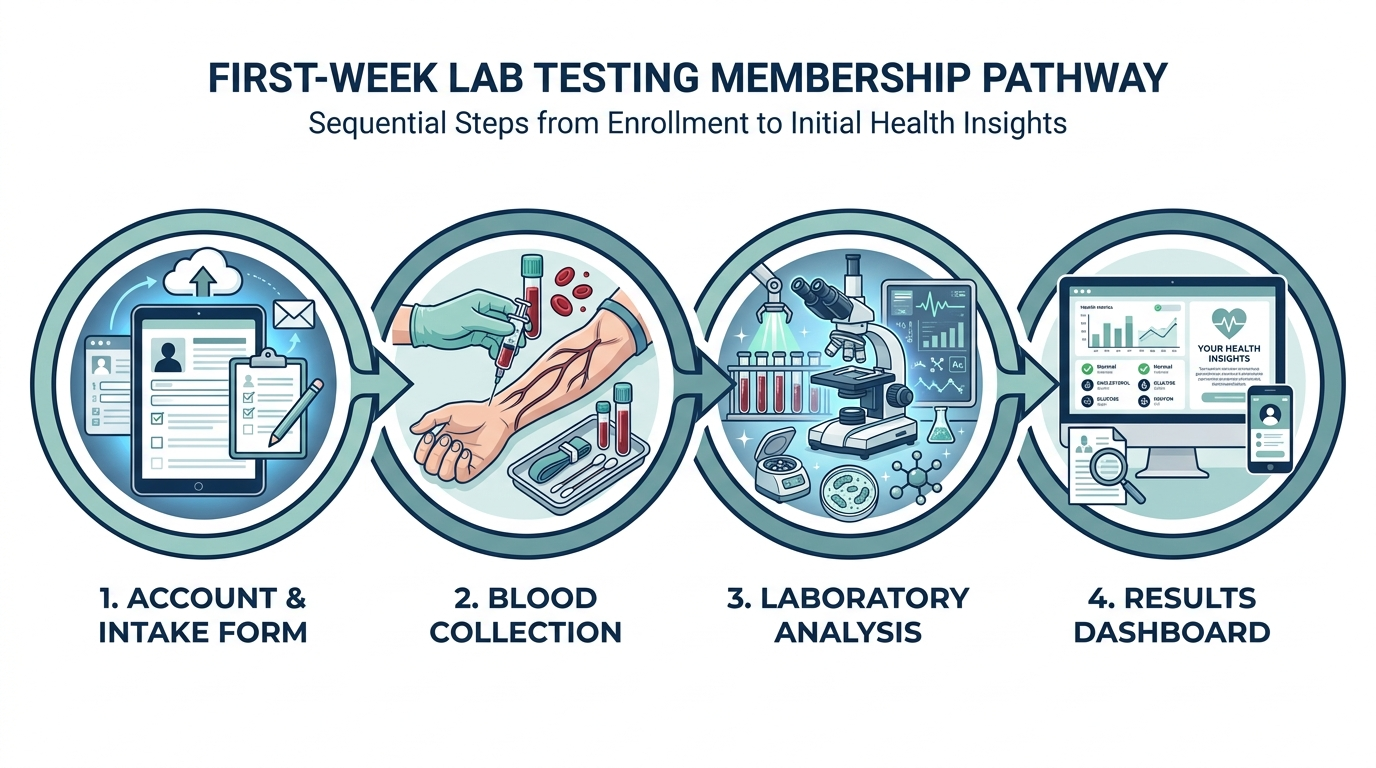
The onboarding is more thorough than a typical lab order. After confirming your email, you land on a multi-step health history questionnaire that covers chronic conditions, current medications, supplements, surgical history, and family history. This takes 5 to 10 minutes and is not optional skippable fluff. Function uses it to contextualize your results and, in some states, to satisfy the physician-of-record requirement before panels can be ordered. Fill it out completely. A half-finished profile can delay your first order or trigger a follow-up call from their clinical team.
Setting up your first week with a lab membership? See how a 100+ biomarker panel with physician review compares before you commit. One at-home Superpower draw checks 100+ biomarkers, physician-reviewed.
Next comes the profile photo (used for identity verification at the draw site) and billing confirmation. At that point your account is live and you can browse the test catalog, though your first draw panel is typically pre-configured as part of your membership. Read the function health review for a breakdown of exactly which biomarkers come standard.
How to connect Function Health to Apple Health
Connecting Apple Health is done from the app settings and takes under two minutes, but there is a nuance most users miss. Open the Function Health iOS app, tap your profile icon, go to “Integrations,” and select Apple Health. The system permission sheet appears and you can toggle individual data categories: body measurements, heart rate, sleep analysis, activity, and nutrition. Grant access to all of them unless you have a specific reason not to. Function pulls this data passively and overlays it on your lab trend charts so you can see, for example, whether your elevated fasting glucose correlates with nights of poor sleep or spikes in resting heart rate.
Apple Watch data flows through Apple Health automatically, so there is nothing extra to configure if you wear one. If you use a Oura Ring or Whoop, those devices sync to Apple Health first, which then passes the data to Function. The integration is read-only in both directions. Function cannot modify your Apple Health records.
Android users: as of early 2026, Function does not support Google Fit or Health Connect natively. You can still use the platform fully without wearable integration. This is worth noting before you sign up if passive tracking is a priority for you.
Filling out your health history profile correctly
The health history form is the single most overlooked part of the function health setup process, and errors here cause real downstream problems. Here is what to get right:
- Medications and supplements: List every supplement, not just prescriptions. Biotin (vitamin B7) at doses above 5,000 mcg/day notoriously interferes with thyroid panel immunoassays and troponin tests. If you take high-dose biotin and do not disclose it, your TSH result could appear falsely suppressed.
- Fasting state at draw time: Function pre-selects a 12-hour fasting requirement for the standard comprehensive panel. You confirm this during profile setup. If you are on insulin or have a history of hypoglycemia, note it here. The clinical team may adjust instructions or schedule a morning-first draw time.
- Hormone therapy: If you are on testosterone replacement, estrogen, or progesterone, note the dose, route (injection, topical, oral), and timing. Hormone panels must be drawn at a consistent interval relative to your last dose to be interpretable over time. Function will flag this and give you draw-timing guidance.
- State of residence: Function operates in most US states but not all. If you recently moved, update your address before scheduling. Some states require a different fulfillment pathway and your draw instructions will change.
Scheduling your first blood draw
Once your profile is complete, Function prompts you to schedule your draw. The platform partners with Quest Diagnostics and Labcorp, which between them have patient service centers in every major US metro and most smaller cities. You pick a site from a map, choose a date and time slot, and receive a confirmation with a PDF lab requisition. Bring that PDF (or show it on your phone) plus a government-issued ID. You do not need to bring insurance cards. Function operates as a direct-pay service.
A few practical scheduling notes:
- Morning slots (7:00 to 9:30 a.m.) are worth prioritizing. Cortisol, testosterone, and most hormone values follow circadian patterns, so drawing at the same time of day on each annual or semi-annual test makes year-over-year comparisons more reliable.
- Quest and Labcorp scheduling systems are separate from Function’s. If you need to reschedule, do it through the Quest or Labcorp app directly, not through Function. Update Function manually with your new draw date if the app prompts you.
- Walk-in availability exists at most sites but is unpredictable. Book in advance for fasting panels because arriving after a 12-hour fast and waiting 45 minutes for a walk-in slot is miserable.
What to expect at the draw appointment itself
The appointment is quick, usually 10 to 15 minutes of actual time in the chair, but knowing the flow removes the friction. When you arrive, you check in at a kiosk or with the front desk using your name and date of birth, then hand over your ID and pull up the requisition PDF. The phlebotomist matches the requisition to your identity, which is why the name on your Function profile must match your ID exactly. A nickname or an old maiden name mismatch is the single most common reason a draw gets held up at the front desk.
The draw itself is a standard venous blood sample, typically two to four vials depending on how many biomarker groups are on your panel. Comprehensive panels with advanced hormones and metabolic markers may need an extra tube or two, which is normal and not a sign anything is wrong. If you are prone to feeling faint, say so before they start so they can lay the chair back. Hydrating well the morning of the draw genuinely makes the stick easier and faster, because well-hydrated veins are easier to find. After the draw you are free to eat right away, so bring a snack if you fasted overnight.
How to prep for accurate results
This is where most first-time members get it wrong. They fast correctly but ignore the other variables that move biomarkers by 10 to 30 percent.
| Variable | What to do | Why it matters |
|---|---|---|
| Fasting window | 12 hours, water only | Lipid panel, glucose, insulin all require fasted state |
| Exercise | Avoid strenuous exercise 48 hours before | Hard training elevates CK, LDH, ALT, and free testosterone acutely |
| Alcohol | None for 72 hours before | Alcohol raises GGT, triglycerides, and uric acid for days |
| Hydration | Drink 16 to 24 oz of water the morning of the draw | Dehydration concentrates all serum values and makes draws harder |
| Biotin supplements | Stop 72 hours before | Interferes with immunoassay-based thyroid and cardiac tests |
| Medications | Take as prescribed unless clinician says otherwise | Most maintenance medications should NOT be held before a draw |
| Time of day | Draw before 10 a.m. when possible | Hormone values are most stable and reproducible in the morning |
One thing most guides skip: menstrual cycle phase matters significantly for women. Estradiol, progesterone, LH, and FSH shift by factors of 3 to 10 across the cycle. Function will ask you to note your cycle day on each draw so results can be interpreted in context. Draw consistently on the same cycle day (day 2 to 3 of your period is standard for baseline hormone panels) if you want year-to-year comparisons to hold up.
A realistic first-week timeline, day by day
Here is how the first week actually unfolds for most new members, so you can tell whether you are on track.
- Day 1: You sign up, complete the health history questionnaire, add your photo, and confirm billing. This is the 10 to 15 minute part. Your account is live immediately, but your lab order is not issued yet.
- Day 1 to 2: Function’s clinical team reviews your profile and issues the lab requisition. You get an email, often from a Quest or Labcorp address, with the PDF. This is the step people miss when they expect a requisition instantly.
- Day 2 to 3: You schedule your draw, ideally a morning slot within the next few days, and start prepping: no alcohol for 72 hours, no hard training for 48, stop high-dose biotin for 72.
- Draw day: You fast 12 hours overnight, drink water, and get drawn before 10 a.m. The appointment takes about 15 minutes.
- Draw day plus 2 to 3: Standard results land in your dashboard with a push notification. Specialty panels can take up to 5 to 7 business days.
If any single step stalls, it is almost always the requisition-issuance gap on day 1 to 2, which is a clinical review step and not something you can rush. Completing the health history thoroughly the first time is the best way to keep it moving.
What happens after your draw
Results typically appear in your Function dashboard within 48 to 72 hours, though some specialty panels (heavy metals, advanced hormones, stool-based tests if ordered separately) can take 5 to 7 business days. You get a push notification when results land.
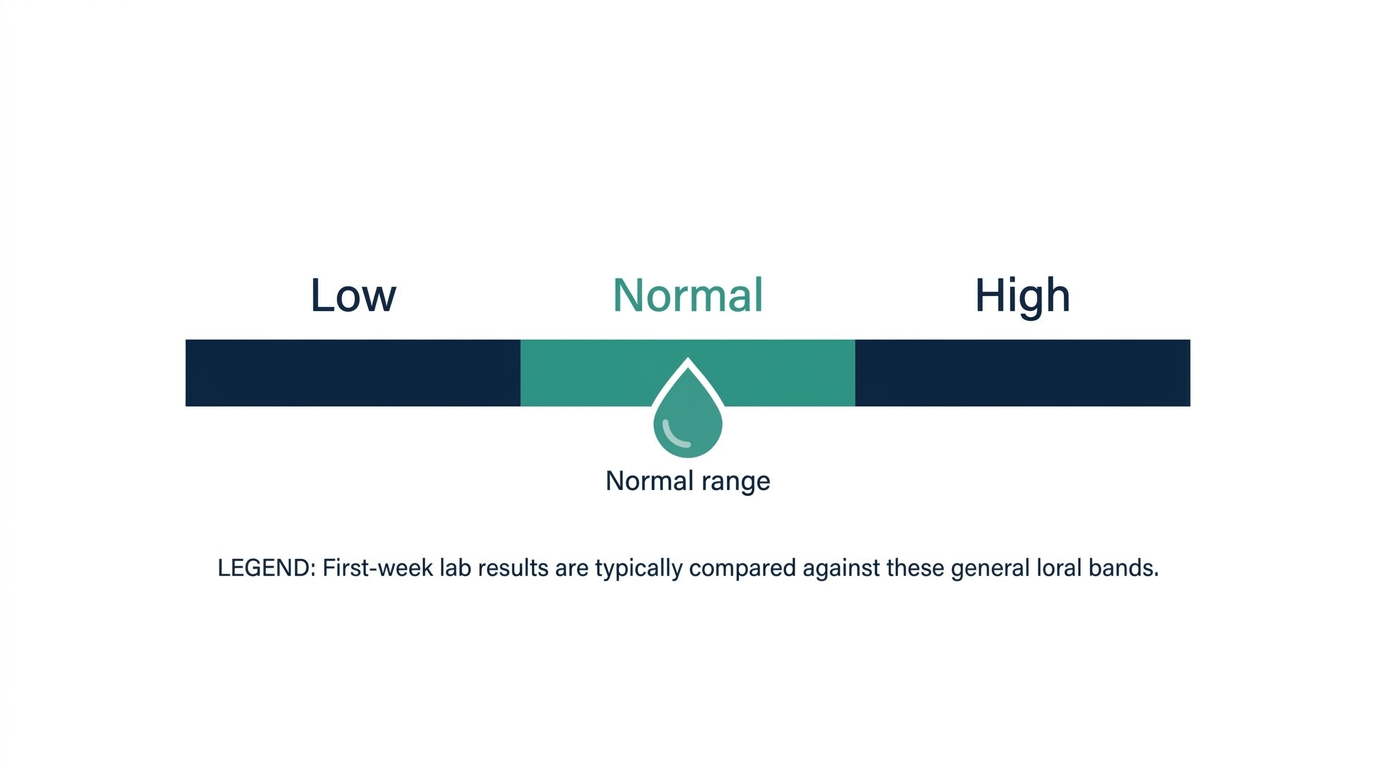
Inside the dashboard, each biomarker is displayed with your value, the standard lab reference range, and Function’s “optimal” range (which is usually tighter than the lab reference). There is a short plain-English explanation and a severity flag (green, yellow, orange, red). For context on how accurate these interpretations are, the are function health results accurate piece covers the methodology in depth. Abnormal flags trigger a message from Function’s clinical team, typically within 24 hours, offering to discuss the result. You can also book a live clinician call directly through the app if you want to talk through anything. Talk to a clinician about any result that surprises you, especially if you have an existing condition or are considering a medication change based on what you see.
Results sync back to Apple Health automatically if you have the integration enabled. Your CBC, metabolic panel, lipid values, and select hormones will appear as data points in the Apple Health app under Health Records.
Optimal range versus standard reference range: what the flags actually mean
The single most confusing thing on a first results screen is that Function shows two goalposts for many biomarkers: the standard lab reference range and a tighter “optimal” range. The standard reference range is the statistical middle of the general testing population, roughly the central 95 percent, which means it includes plenty of people who are not especially healthy. The optimal range is narrower and reflects where a marker tends to sit in people with lower long-term risk. A value can read green against the lab range and still yellow against optimal, and that is not an error. It is the whole point of the platform.
Two caveats keep this honest. First, reference ranges genuinely vary between labs and even between assay methods, so a number that is barely out of range at Quest might be in range at Labcorp. That is why year-over-year comparisons are most reliable when you use the same lab each time. Second, a single yellow or orange flag is a prompt to look closer, not a diagnosis. Many out-of-range values are transient, driven by a recent workout, a cold, dehydration, or an off week of sleep. The right move is to note it, retest if it persists, and discuss anything red or clinically meaningful with a clinician rather than reacting to one data point.
The Function Health app versus the website
The iOS app and the web dashboard at functionhealth.com are largely feature-equivalent, but each has a slight edge in specific areas. The app is better for scheduling, viewing trend charts overlaid with Apple Health data, and receiving push notifications. The web dashboard renders result tables more legibly on a large screen and is easier to use for printing or exporting your results as a PDF to share with an outside physician.
There is no Android app as of early 2026. Android users access everything via the mobile browser. For a deeper look at the app experience, the function health app review covers navigation, notification settings, and what the trend charts actually look like after a year of data.
The simplest way to actually get this done
Superpower is a full-body lab membership that runs 100+ biomarkers, has each result reviewed by a doctor, and tracks your numbers year over year (about $199/year). It is what we point readers to when they would rather get one clean, complete draw than chase single tests one at a time. Here is superpower reviewed in full.
Troubleshooting common setup problems
A handful of issues come up repeatedly in the first week. Here is what causes them and how to fix them fast without waiting on support. For anything more complex, the function health customer service contact page has current response-time benchmarks and the fastest channel by issue type.
- Requisition not showing up: The lab order is generated after your profile is marked complete by Function’s clinical review team, not immediately after you finish the questionnaire. If you do not see a requisition within 24 hours of completing onboarding, check your spam folder (it comes from a Labcorp or Quest email address, not Function’s domain) and then check the “Labs” tab in the app rather than email.
- Apple Health sync not pulling data: The most common cause is a partial permission grant. Go to iPhone Settings, scroll to Privacy, tap Health, tap Function Health, and confirm all categories are toggled on. The app permissions screen inside Function only shows what you approved; the master toggle lives in iOS Settings.
- Duplicate appointments: If you book through Function and then separately through Quest’s own portal using the same requisition number, Quest may generate two appointments. Cancel the duplicate through Quest directly.
- Results delayed beyond 72 hours: Check whether the lab received your sample. Labcorp and Quest both have patient portals where you can verify sample receipt. If the sample was received but results are not in Function yet, it is usually a data-sync lag. Wait 24 more hours before contacting support.
- State eligibility issue: A handful of states (New York is the most common) have restrictions on direct-access lab testing. Function routes these through a physician-ordered pathway that adds a day or two. You will be notified during signup if your state requires this.
How Function Health compares at account setup to alternatives
The setup process is meaningfully more detailed than ordering a panel through Labcorp’s direct-to-consumer PatientFirst service or through Ulta Lab Tests, where you pick a panel from a menu and go get drawn with minimal context. Function’s onboarding is closer in depth to what you would complete before a concierge medicine intake appointment. That depth serves a purpose: the contextualization engine that explains your results depends on knowing your medications, health history, and cycle information.
Superpower, the closest competitor in the membership category, has a similar onboarding depth, physician review on every result, and a comparable biomarker count. See the superpower blood test review and the breakdown of function health cost side by side if you are still deciding which membership makes more sense for your situation.
Turn what you just learned into action.
Superpower lets you test 100+ biomarkers from home, then re-check them over time so you can actually see progress, physician-reviewed at every step.
FAQ
How long does Function Health account setup take?
The initial profile and health history form takes 10 to 15 minutes if you have your medication list and health history ready. After that, clinical review of your profile takes up to 24 hours before your lab requisition is issued. Scheduling your draw is another 5 minutes. The total time from sign-up to having a confirmed draw appointment is typically 1 to 2 days.
Can I connect Function Health to Apple Health on Android?
No. The Apple Health integration requires the iOS app, which is currently iPhone-only. Android users access Function through a mobile browser but do not have a native app or wearable data integration as of early 2026. Function has not announced a Google Health Connect integration timeline.
What happens if I skip the health history questionnaire?
You cannot fully skip it. Function’s onboarding requires a completed health history before issuing a lab requisition, in part because the physician-of-record review is required in several states before panels can be ordered on your behalf. Leaving fields blank (rather than completing them) may delay your first draw or trigger a follow-up from their clinical team.
Do I need insurance to set up a Function Health account?
No. Function operates entirely outside of insurance. You pay the membership fee directly, and Function handles the lab billing. You will not submit any insurance claims, and you do not need to provide insurance information during setup. The cost is HSA-eligible for many members, though you should confirm with your HSA administrator since eligibility depends on how the expense is coded. For a full cost breakdown, see the function health cost page.
How do I know when my results are ready?
Function sends a push notification through the iOS app and an email when results are available. Most standard biomarkers from Quest and Labcorp are reported within 48 to 72 hours of your draw date. Specialty panels take longer. You can also check the “Results” tab in the app or web dashboard at any time, as partial results may appear before the full panel is complete.
Can I set up a Function Health account for a family member?
Each Function Health account is tied to one member. There is no family plan or sub-account feature as of 2026. A family member would need to create and pay for their own separate account. Each account requires its own email address, health history, and identity verification at the draw site.
What if my Apple Health data is not syncing correctly after setup?
First, check iOS Settings, Privacy, Health, Function Health and confirm all data categories are enabled. Next, force-close and reopen the Function app. If data still does not appear, check whether the Apple Health records in question are sourced from a third-party device (Oura, Whoop, Garmin) and verify that device’s own app has Apple Health write permissions enabled. Function can only pull data that has already been written to Apple Health by another app.
Can I change my draw location after scheduling?
Yes, but you need to reschedule through Quest or Labcorp directly using the confirmation number from your original appointment, then update Function’s app with your new draw date. The lab requisition itself does not change. Most Quest and Labcorp sites honor requisitions issued for a different location within the same network, so switching sites should not require a new requisition from Function.
Does Function Health work with Medicare or Medicaid?
Function Health is a direct-pay membership service and does not bill Medicare or Medicaid. Medicare beneficiaries can sign up and pay out of pocket, but costs are generally not reimbursable under Medicare Part B because Function does not go through a physician referral in the traditional sense. If you are on Medicare and want your labs covered, the conventional path is ordering through your primary care physician and using your Medicare benefits at Quest or Labcorp.
Can I add extra biomarkers to my Function Health panel?
Yes. Beyond the standard membership panel, Function offers add-on tests you can order from the catalog, such as advanced hormone markers, heavy metals, or specialty cardiovascular markers. Add-ons usually carry an extra fee and can add a day or two to your results if they route to a specialty lab. Order any add-ons before you schedule your draw so they land on the same requisition and you only get stuck once.
Is fasting mandatory for the first draw?
For the standard comprehensive panel, yes, a 12-hour water-only fast is the default because lipids, glucose, and insulin are only interpretable in a fasted state. If you have a medical reason you cannot fast safely, such as insulin-dependent diabetes, note it during setup so the clinical team can adjust your instructions rather than you improvising on the day.
How often should I retest after my first panel?
Most members retest every 6 to 12 months, which is enough time for lifestyle or treatment changes to actually move the numbers. If you are actively correcting something specific, like a low vitamin D or an elevated fasting glucose, a targeted recheck at 3 months is reasonable to confirm the trend. Retesting sooner than that on stable markers mostly captures normal day-to-day noise.
What happens to my account if I move to a different state?
Update your address in your profile before scheduling any new draw. Function operates in most but not all US states, and a few (New York most notably) require a physician-ordered pathway that changes your fulfillment and adds a short delay. If you move to a state Function does not serve, your ability to order new panels can be paused even though your past results stay in your dashboard.
Vital Signs Today may earn a commission if you buy through links on this page. It does not affect our editorial assessments.