Quick answer: The Function Health app is a mobile and web dashboard where members view, track, and understand their lab results after each draw. It displays color-coded biomarker values, explanatory context for every marker, historical trend lines across draws, and doctor-reviewed insights. The app does not schedule your blood draw, process your sample, or replace a physician, but it is the central interface through which everything Function Health measures becomes readable and actionable.
Does Function Health Have an App?
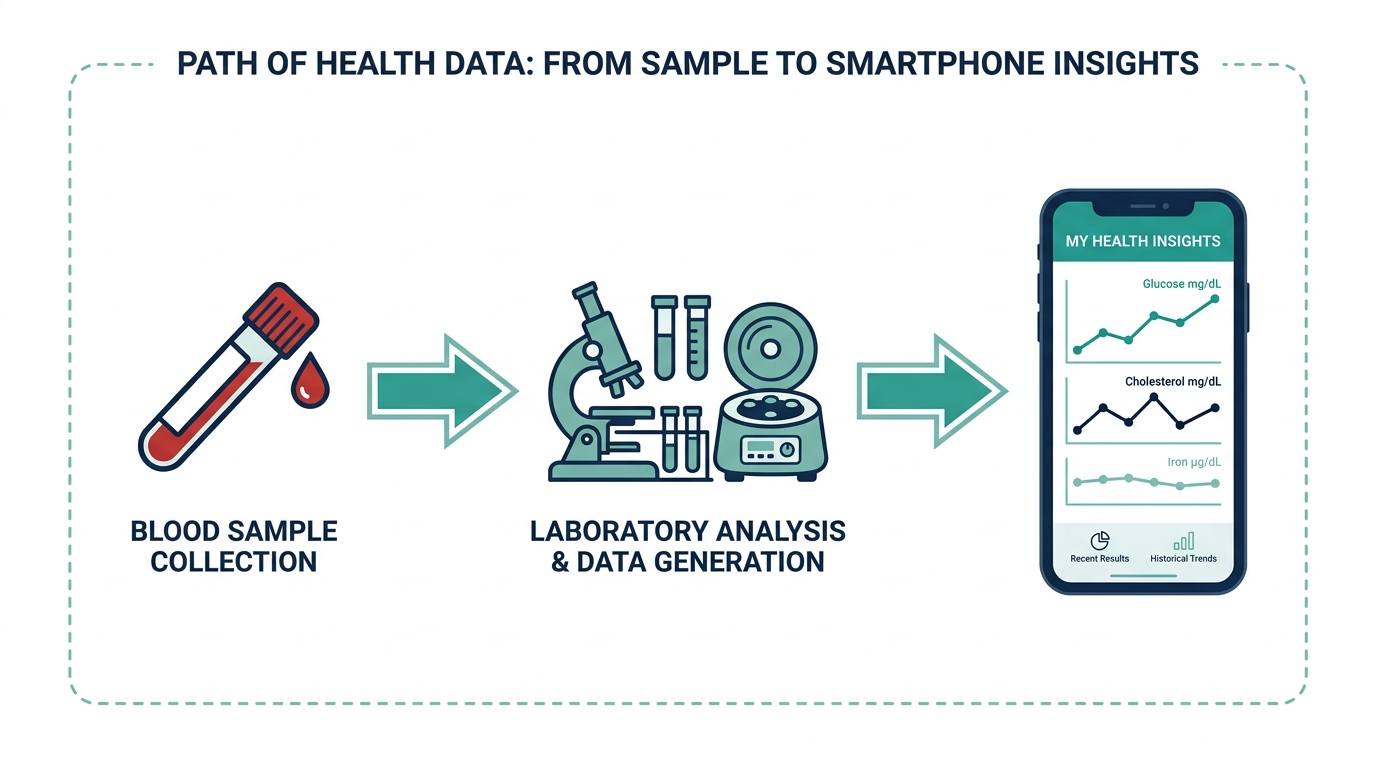
Yes, Function Health has both a native iOS app and a browser-based web app. The iOS app is available on the App Store and mirrors the web experience closely. An Android version is not available as of mid-2026, which is a real limitation for roughly half of US smartphone users. Members access the same account on both platforms; results sync automatically once Quest Diagnostics releases them to Function’s servers, typically within one to two business days after your draw.
Function Health’s app tracks your trends after the fact. What if your own panel started with 100+ biomarkers and a doctor’s plan? One at-home Superpower draw checks 100+ biomarkers, physician-reviewed.
The app is included with every Function Health membership at no extra cost. If you are evaluating whether to join, knowing what the app actually does day to day is arguably more important than the biomarker count, because the app is where all the post-draw value either shows up or disappears. A full breakdown of membership pricing is in our function health cost guide.
What Does the Function Health App Do?
The core job of the Function Health app is to make a large lab report legible and longitudinal. When your results arrive, each biomarker gets its own card showing your value, a reference range, a plain-English explanation of what that marker measures, and a color flag (green, yellow, or red) based on whether you are in range, borderline, or out of range. That is genuinely useful because a standard Quest or Labcorp PDF delivers the same information as a dense spreadsheet with no interpretation.
Beyond the static result card, the app does several things that a one-off lab visit cannot:
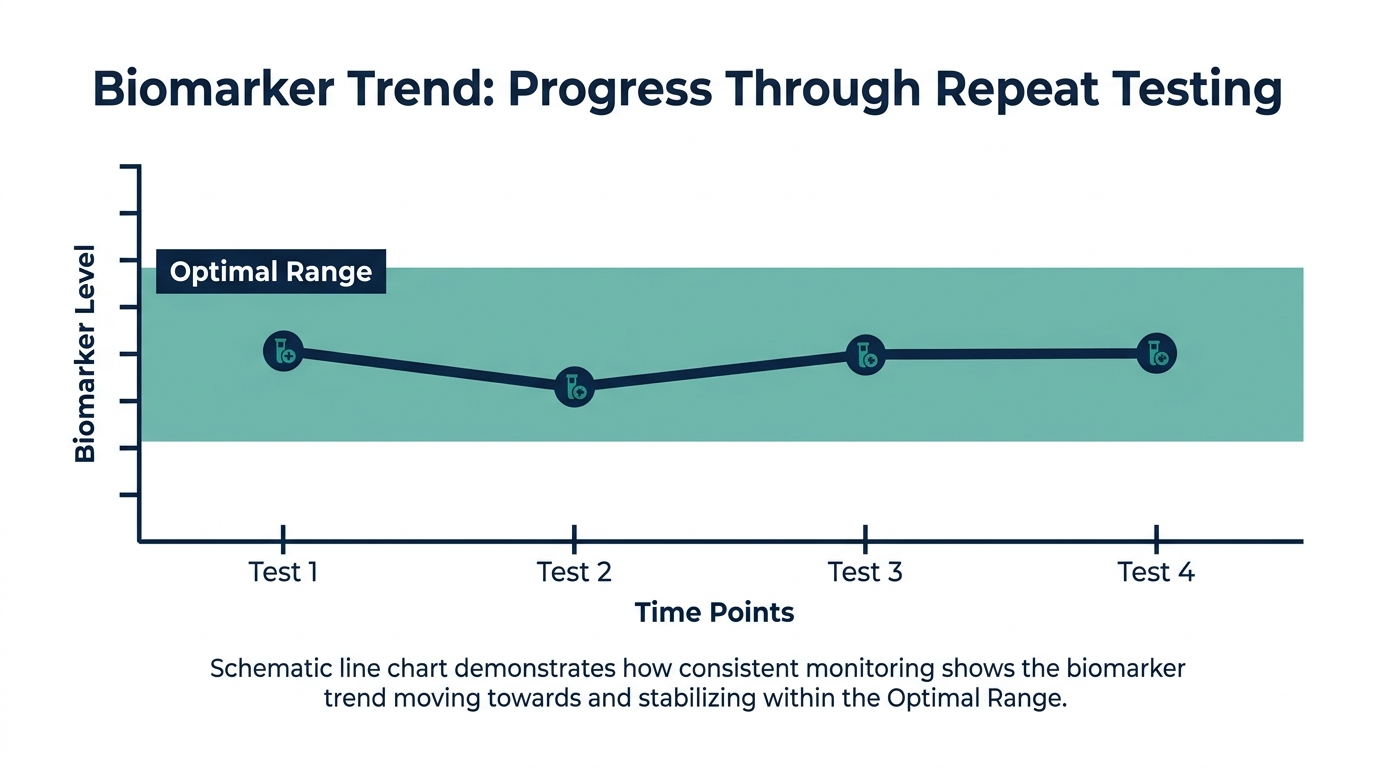
- Trend tracking: Each biomarker has a timeline chart showing every value across every draw. If your fasting insulin was 12 a year ago, 14 six months ago, and 17 today, that trajectory is visible at a glance, even if all three values technically fall inside the standard reference range.
- Category grouping: Biomarkers are organized into categories like Metabolic Health, Hormones, Thyroid, Cardiovascular, Liver, Kidney, Nutrients, and Inflammation. You can filter by category instead of scrolling through 100+ markers at once.
- Doctor-reviewed insights: Function employs a medical team that flags results needing attention and adds brief context notes. These appear as a summary at the top of each results report and are separate from the per-marker explanations.
- Result sharing: You can generate a shareable PDF of your results to bring to a primary care physician or specialist. This is a practical feature since most PCPs are not going to log into a third-party app.
What the app does not do: it does not book your blood draw (that is handled through a scheduling flow on the website, redirecting you to Quest’s patient portal), it does not prescribe or adjust medications, and it does not replace a primary care relationship. Talk to a clinician about any result that flags red or surprises you.
Function Health App Features: A Closer Look
The feature set is focused rather than sprawling. Function has not tried to be a general-purpose health app, which cuts both ways.
Biomarker Dashboard
The dashboard lands you on a summary view of your most recent draw. Out-of-range markers surface at the top so you are not hunting. Each marker card expands to show a deeper explanation, the specific lab method used (e.g., immunoassay vs. LC-MS/MS for testosterone), and what functional or optimal ranges some clinicians use compared to the conventional lab reference range. That distinction matters: a TSH of 3.8 is technically within the standard range of 0.4 to 4.5, but many integrative physicians prefer to see it under 2.5. Function flags this kind of nuance where it is relevant.
Trend Lines and Year-Over-Year Comparison
This is the feature most members say they underestimate before they have two years of data. A single fasting glucose of 94 means almost nothing in isolation. A fasting glucose that has risen from 82 to 88 to 94 over three consecutive annual draws is a completely different story, even though every number sits inside the standard reference range. The app’s trend charting makes that story visible without you having to build a spreadsheet.
Insights and Action Items
After each draw, Function’s medical team generates a written insights report. It highlights the most clinically significant findings, explains what they might mean together (e.g., elevated LDL particle count alongside elevated hsCRP and elevated fasting insulin often point to metabolic inflammation rather than simple dietary fat intake), and suggests categories to watch. These are not prescriptions. They read more like a well-informed friend with a medical degree helping you understand what to ask your doctor at your next appointment.
Historical Data Import
If you have prior lab results from Quest or Labcorp, you can upload them manually or, in some cases, pull them through patient portal integrations. This fills in your timeline before you became a Function member, which is useful if you have had annual panels done through your employer or insurer for years.
What the App Will Not Alert You To
One design choice trips people up more than any other: the app does not push you a notification when a marker drifts between draws, because there are no new measurements between draws to react to. It is not a monitor. It is a periodic report. If your fasting glucose was creeping up across three annual panels, the app will draw that line clearly, but only when you open it and look. Nothing pings you in month four to say a number is moving. That is a consequence of annual lab testing, not a flaw in the software. The practical fix is to set your own reminder to open the trend view every few months, and to schedule an interim draw through your primary care provider if a marker looked like it was heading the wrong way at your last panel. Treat the app as a filing cabinet you visit on purpose, not a smoke alarm that shouts on its own.
Does the Function Health App Sync with Apple Health?
Function Health does support Apple Health integration, though with some caveats worth knowing. The connection allows the app to pull activity, sleep, and heart rate data from Apple Health into your Function dashboard, giving the medical review team additional context alongside your labs. In the other direction, Function can push certain biomarker values into Apple Health records so they appear alongside other health data on your iPhone.
The sync is not seamless by default. You enable it inside the Function app under settings and grant the relevant Apple Health permissions. Not every biomarker type maps to an Apple Health data category, so some values appear in Function only. The integration is most useful for members who already track sleep and activity consistently, since it lets Function’s insights team comment on whether your labs align with or diverge from your lifestyle data. For most people, the Apple Health connection is a nice-to-have rather than a core reason to join.
There is no Google Fit or Samsung Health integration as of mid-2026.
Is the Function Health App Easy to Use?
For a health data product handling over 100 biomarkers, the Function Health app is unusually readable. The design prioritizes the non-clinical user: plain language over Latin abbreviations, contextual explanations that do not assume you have a biochemistry background, and a visual hierarchy that surfaces what matters. Most members report that results feel less overwhelming in the app than they expected from looking at a raw lab PDF.
The friction points are predictable. The app is most useful right after a draw and then sits largely idle for six to twelve months until the next one. There is no continuous monitoring (no CGM integration, no wearable biomarkers), so between draws the app does not give you much to interact with. The trend charts are genuinely powerful but only become so after two or three draws, which means new members may feel they paid for a dashboard with not much on it yet. That is a structural limitation of annual lab testing, not a software bug.
iOS App vs. the Web App: Which to Use
Because there is no Android app, a lot of members live in the web version at app.functionhealth.com, and it is worth knowing the two are not identical in feel even though they share the same account and data. The iOS app is smoother for quick check-ins, notifications when results post, and the Apple Health connection, which only exists on the phone. The web app tends to be better when you actually want to study your data, because a larger screen makes the trend charts and category filters far easier to read, and it is simpler to generate and download the results PDF for a doctor visit. A reasonable habit is to use the phone for the ping that results are ready and the browser for the sit-down review. Android users lose the Apple Health tie-in entirely, which is the single biggest functional gap between platforms.
Function Health App vs. What People Expect It to Do
The most common misconception about the function health app is that it works like a continuous health monitoring platform, with daily check-ins, symptom logging, or medication tracking. It does not. It is an asynchronous results portal that activates a few times a year. Expecting it to function like a Whoop or Oura companion app will leave you frustrated.
A second common expectation: that the app will tell you exactly what to do. It will not give you a supplement list or a meal plan based on your numbers. It explains what is happening and flags what is worth discussing with a clinician. Members who want more directive guidance often find they need to layer in a functional medicine physician or telehealth service separately.
A third assumption worth correcting: the app itself does not perform any lab work or analysis. Function Health is a membership layer that partners with Quest Diagnostics for the actual phlebotomy and laboratory processing. What you see in the app is Quest’s numerical output, organized and contextualized by Function’s software and medical team. Understanding that distinction matters if you are comparing Function to a service where the company runs its own CLIA-certified lab.
For a balanced assessment of what Function delivers overall, see our function health review.
The simplest way to actually get this done
Superpower is a full-body lab membership that runs 100+ biomarkers, has each result reviewed by a doctor, and tracks your numbers year over year (about $199/year). It is what we point readers to when they would rather get one clean, complete draw than chase single tests one at a time. Here is superpower blood test review in full.
How Function Health App Compares to Competitors
The lab-tracking app landscape has grown quickly. Here is how the Function Health app stacks up on the features that matter most for a results-and-trends platform:
| Feature | Function Health | Superpower | Labcorp OnDemand |
|---|---|---|---|
| iOS app | Yes | Yes | Yes (basic) |
| Android app | No | No | Yes |
| Trend charting | Yes, per-marker | Yes, per-marker | Limited |
| Doctor-written insights | Yes | Yes | No |
| Apple Health sync | Yes | Yes | Yes (partial) |
| Result PDF export | Yes | Yes | Yes |
| Historical import | Manual upload | Manual upload | No |
Superpower runs a broadly similar app experience to Function Health. The main difference is that Superpower includes a physician consultation as part of the membership, meaning you get a scheduled call with a doctor to review your results rather than relying entirely on self-service insights. That distinction matters for members who want a human to walk them through what their numbers mean. See the superpower blood test review for a full comparison, or check how much does superpower cost to see how the pricing stacks up.
Who the Function Health App Is Best and Worst For
The app rewards a specific kind of user and frustrates another, and being honest about which one you are saves money.
It is best for the data-minded member who wants to own a longitudinal record of their own physiology, who will actually open the trend charts, and who has a clinician or the confidence to act on what the numbers suggest. If you are the type who kept a spreadsheet of past lab results, this is the tool you wished you had. It is also strong for people managing a known metabolic or hormonal issue who benefit from watching a handful of markers move year over year.
It is worst for someone expecting daily engagement, a coach in their pocket, or a device that tells them exactly what supplement to take tomorrow. Consider a member who joins, gets one draw, opens the app twice, and then feels it went quiet. Nothing failed. They simply bought a product whose value compounds over years and only shows its best self on the second and third draw, and they judged it on week one. If you will not come back to it, the annual fee is hard to justify no matter how good the interface is.
Getting the Most Out of the Function Health App
A few practical habits separate members who find the app genuinely useful from those who open it once and forget it exists:
- Screenshot your trend charts quarterly. The app does not send push alerts when a marker crosses a threshold between draws. If you pull up your trends once every few months and notice a directional shift, you can request an additional draw through your PCP or a standalone service before your next scheduled Function panel.
- Use the PDF share feature before every doctor visit. Export your most recent Function results and bring the PDF. Most PCPs genuinely appreciate the comprehensiveness, even if they would not have ordered all those tests themselves. It shortens the diagnostic loop considerably.
- Pay attention to the functional range flags, not just the binary green/red. The yellow zone, where a value is technically in range but at the edge, is often where the most useful information lives. Conventional lab reference ranges are built on population statistics, not optimal health targets.
- Enable Apple Health integration on day one. The longer the platform has context about your sleep, activity, and heart rate data, the more useful the insights team’s commentary becomes. Do not wait until you have a confusing result to set it up.
- Log notes after each draw. Function allows you to add personal context notes to your results. Recording what was going on when a result came in (under acute stress, traveling, changing a medication, six weeks into a new training program) is the kind of metadata that makes longitudinal data genuinely interpretable rather than just a collection of numbers.
Don’t just read about your health, track it.
A single result is a snapshot. Superpower re-tests 100+ markers over time so you can watch them move as you change sleep, food, and training.
FAQ
Is there a Function Health app for Android?
No. As of mid-2026, Function Health only has an iOS app and a web app accessible through any browser. Android users can access all the same features through the mobile browser at app.functionhealth.com, but there is no native Android application. This is a real gap for a platform in this price tier and has been a recurring complaint in user reviews.
How quickly do results appear in the Function Health app?
Results typically appear in the app within one to three business days after your blood draw. Quest Diagnostics processes the samples, and Function’s platform receives the data once Quest releases it. High-complexity tests like advanced hormone panels or certain genetic markers can take up to five business days. You receive an email notification when your results are ready, and the app reflects the same status in real time.
Can I use the Function Health app without a membership?
No. The app requires an active Function Health membership to access any results or features. There is no free tier or guest access. The app is the member portal, not a standalone product. If your membership lapses, your historical data should remain accessible, but you will not be able to schedule new draws or receive new results.
Does the Function Health app show optimal ranges, not just standard lab ranges?
Yes, this is one of the app’s more useful distinctions. For many markers, Function displays both the conventional laboratory reference range and a tighter functional or optimal range that reflects what research and integrative medicine practice suggest is genuinely healthy versus merely not-sick. The vitamin D optimal range used by Function, for instance, is 50 to 80 ng/mL, compared to the conventional lab reference floor of 20 ng/mL. That difference is clinically meaningful.
Can the Function Health app connect to my wearable device?
Indirectly, through Apple Health. If your wearable (Apple Watch, Oura Ring, Whoop, Garmin) syncs data to Apple Health, and you have connected Apple Health to the Function Health app, that wearable data flows into Function’s context. There is no direct Bluetooth or wearable API integration. Function cannot pull raw heart rate variability, SpO2, or sleep stage data from a wearable without Apple Health as the intermediary.
How do I contact Function Health support through the app?
The Function Health app includes a help section with a support chat option. Response times vary, and many members report that complex questions about specific results are routed to the medical team rather than resolved immediately. For billing or membership questions, the fastest path is typically email through the support portal rather than in-app chat. A full guide to reaching the team is in our article on function health customer service contact.
Is the Function Health app HIPAA compliant?
Function Health states that it operates under HIPAA-compliant data handling practices, as any covered health entity or business associate processing protected health information is required to do. Your lab results qualify as PHI. The app uses encryption in transit and at rest. If this is a material concern for you, Function’s full privacy policy, available on their website, details their data handling, third-party sharing agreements, and your rights under HIPAA to request records or restrict certain disclosures.
What happens to my data in the Function Health app if I cancel my membership?
Function Health’s terms allow members to export their data before canceling. You should download your full results history as PDFs before you let a membership lapse or cancel. What the platform retains on its servers after cancellation, and for how long, is governed by their data retention policy. The practical advice: export everything you want before canceling, because access to a clean export tool tends to disappear once a membership is no longer active.
Is the Function Health app free with the membership?
Yes. There is no separate app subscription fee. The app is included with the Function Health membership, which runs in the range of $499 to $599 per year depending on the plan and any promotions active at signup. The full membership breakdown is in our function health cost article. If you are comparing the total cost of ownership to alternatives, the function health app review covers value in more depth.
Can family members share one Function Health app account?
No. Each membership and app account is tied to one individual, because the results are that person’s protected health information. A couple who both want testing need two memberships and two logins. You can, of course, export and share your own PDF results with anyone you choose, which is how most people loop in a spouse or a caregiver without sharing an account.
Does the Function Health app work offline?
Not in any meaningful way. The app pulls your results from Function’s servers, so you need a connection to load new data or trend charts. Once a PDF is exported to your phone, that file is available offline, which is the reliable way to have your latest numbers on hand for a doctor visit where the waiting-room signal is poor.
Can I send my Function results straight into my doctor’s medical record?
Not automatically. There is no direct EHR integration, so the app does not push into your clinic’s chart. The practical route is the PDF export, which you or your clinic’s staff can upload or scan into your record. Most primary care offices accept a printed or emailed results PDF without issue.
Is the Function Health app a substitute for a primary care doctor?
No, and it does not claim to be. The app organizes and contextualizes lab data and flags what deserves attention, but it does not diagnose, prescribe, or manage conditions. Anything flagged red, or any result that worries you, belongs in a conversation with a clinician who knows your full history.
Vital Signs Today may earn a commission if you buy through links on this page. It does not affect our editorial assessments.