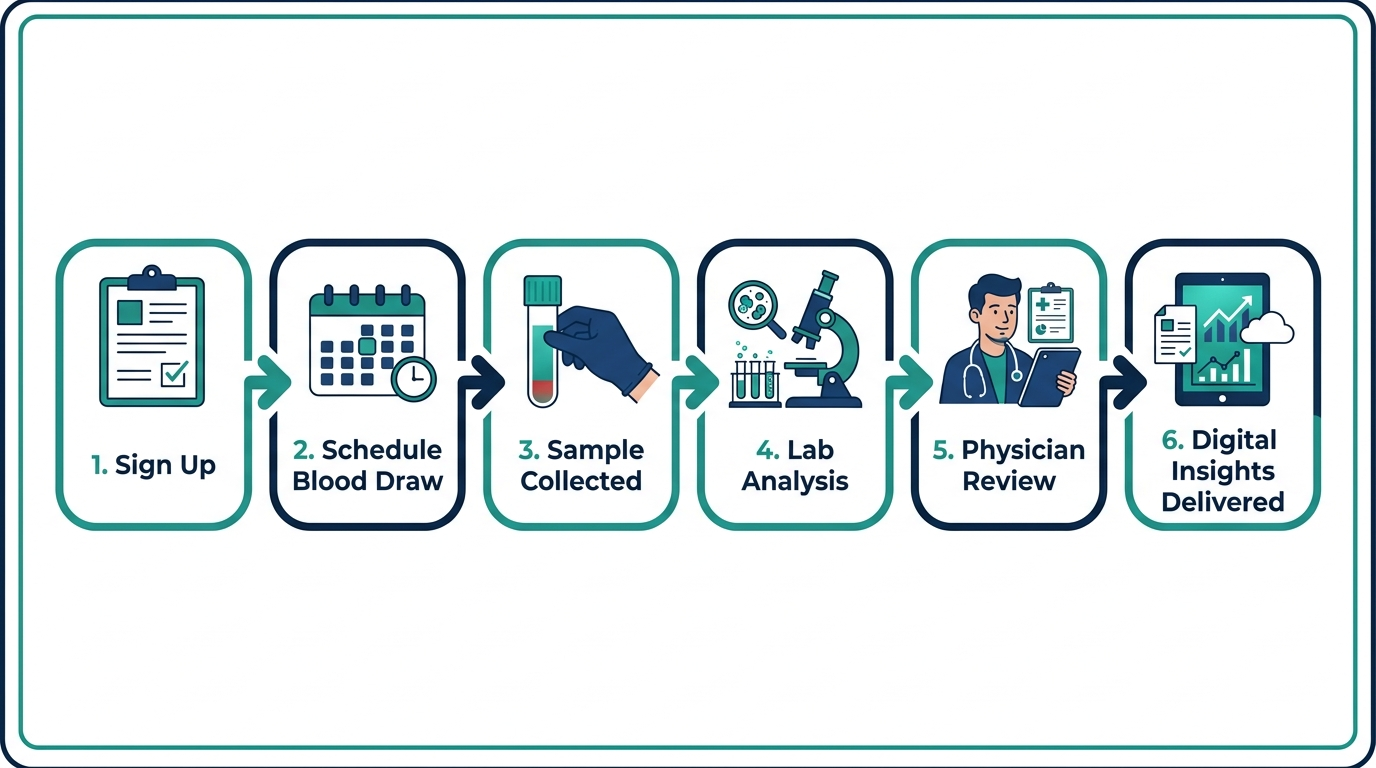
Quick answer: Function Health is a direct-to-consumer lab membership that runs roughly 100 biomarkers on your blood once or twice per year. You sign up online, get a lab order sent to a Quest Diagnostics location near you, show up for a standard venipuncture draw, and receive your results in the Function app within a few days. A clinician reviews any flagged values, and the app tracks your numbers longitudinally so you can see trends over time rather than one-off snapshots.
What Is Function Health and Who Is It For?
Function Health is a membership-based preventive lab service, not a diagnostic clinic. It is designed for people who want an unusually comprehensive annual blood panel without going through a primary care physician to order it. The company targets health-conscious adults, particularly those who feel their annual physical captures too little data and who want to monitor biomarkers like Lp(a), homocysteine, DHEA-S, and detailed thyroid panels that most standard check-ups skip entirely. For a deeper look at what the service includes, see the full function health review.
Curious how the membership flow compares? See how Superpower’s 100+ biomarker draw and physician review stacks up end to end. One at-home Superpower draw checks 100+ biomarkers, physician-reviewed.
The model is subscription-based, meaning you pay an annual fee (not per test). Because Function operates under a physician-supervised model, the lab orders are technically issued by a licensed clinician affiliated with the platform, which is how it clears the regulatory requirement that blood draws be ordered by a provider.
Step 1: Signup, Waitlist, and Getting a Lab Order
The process starts at functionhealth.com, where you create an account and complete a health intake questionnaire. As of mid-2026, Function has periodically operated a waitlist, so approval is not always instant. Once your account is active, the platform generates a lab requisition tied to a Quest Diagnostics patient service center near your zip code.
You do not need a referral from your own doctor. The built-in clinical team handles order generation. This is the same mechanism used by services like Everlywell and Walk-In Lab, but Function’s panel is substantially broader than most competitors in the same price range, which is part of why there was a waitlist in the first place.
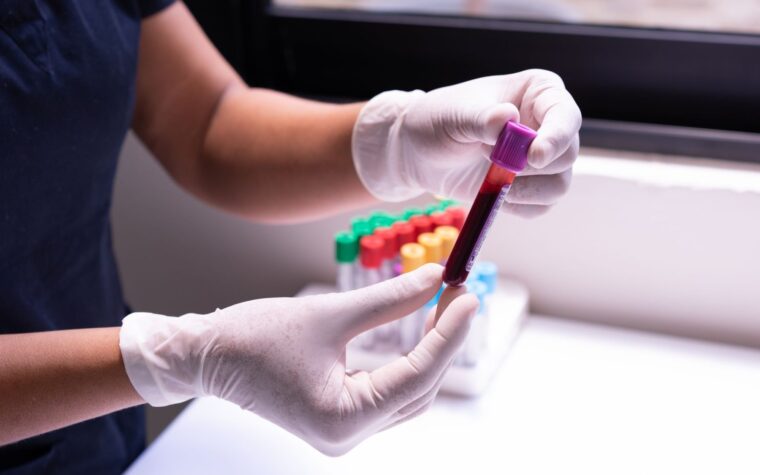
One thing to know before you go: Function’s draw covers a large number of tubes. Expect 10 to 15 vials. That is not unusual for a comprehensive metabolic, thyroid, hormonal, and inflammatory panel, but it can feel surprising if you are used to a standard 3-vial draw at your doctor’s office. Drink extra water beforehand and eat a light meal the night before (most panels require a 12-hour fast).
Step 2: The Function Health Blood Draw Process
The actual blood draw happens at a Quest Diagnostics patient service center, which has over 2,200 locations across the US. You book your appointment through the Quest portal or through the Function app, then walk in and hand the phlebotomist your digital or printed requisition. The draw itself takes about 10 minutes. No doctor visit, no waiting room for an hour, no co-pay to a practice.
A few practical notes that first-timers get wrong:
- Fast for 12 hours before your appointment. Water and plain black coffee are typically fine, but check your specific panel requirements in the app.
- Some tests (like cortisol and testosterone) are time-sensitive. Morning draws, ideally between 7 and 9 a.m., give you the most clinically useful reference point.
- If a Quest location is not convenient, Function has occasionally partnered with mobile phlebotomy services for an additional fee, but Quest walk-in is the default.
- Bring your ID and the requisition. Without the requisition, the phlebotomist cannot draw under Function’s order.
Function does not currently use Labcorp as its primary network, which matters if the Quest location near you has limited hours. Check the Quest appointment portal for same-week availability before you sign up.
Function Health Results Timeline: How Long Does It Take?
Most results come back within 2 to 5 business days after your draw. Certain specialty markers, particularly some hormones, heavy metals, and the more complex immune panels, can take 7 to 10 days. Function displays partial results as they clear rather than waiting until every single marker has processed, so you will typically see your lipid panel and metabolic markers appear first, with the slower assays filling in over the following days.
This staggered delivery is actually useful once you understand it. The fast-turnaround markers (CBC, CMP, HbA1c, lipids, thyroid TSH) give you actionable information quickly, while the slower markers (like an expanded thyroid panel including free T3/T4/reverse T3, Lp(a), or DHEA-S) arrive later. The app notifies you as each batch comes in.
For help interpreting what you see, the guide on function health how to read results walks through the reference ranges and what the color-coded flags actually mean.

What Happens After Your Results Arrive?
This is where Function Health differs from a raw lab printout from Quest. The Function app does three things once your results load:
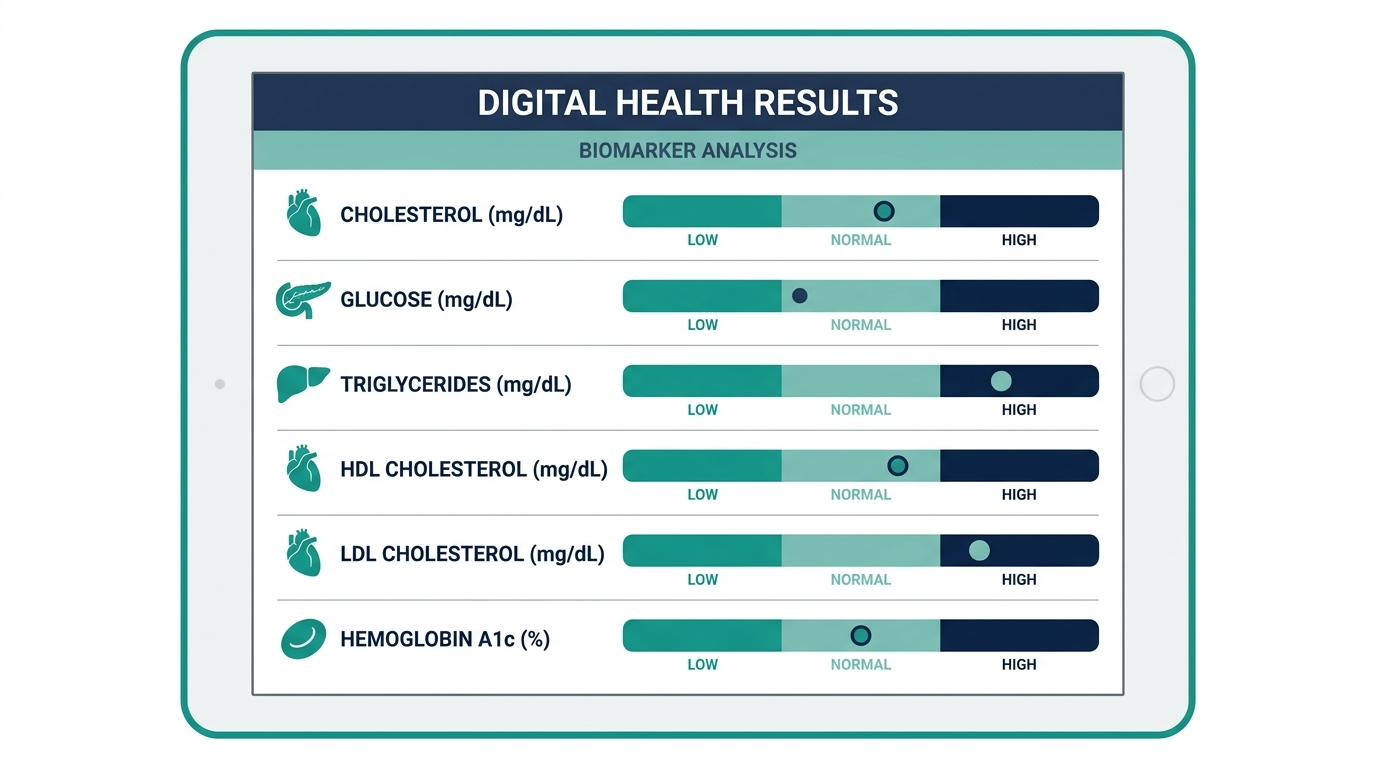
- Color coding and categorization. Each biomarker is flagged green (optimal), yellow (borderline), or red (out of range). Function uses its own functional ranges on several markers, which are tighter than the standard clinical reference ranges used on a Quest printout. For example, Function may flag a fasting glucose of 95 mg/dL as borderline where a standard lab report shows it as normal (reference range typically under 99 mg/dL). Whether you find that useful or alarmist depends on your perspective.
- Clinician review for flagged values. A Function-affiliated clinician reviews out-of-range markers and can send you a note or recommendation through the app. This is not a live telehealth visit by default. It is an async review, and the clinician may suggest following up with your own doctor for abnormal findings.
- Longitudinal tracking. Every retest adds a new data point to your trend charts. This is the feature that matters most over time. A single glucose reading means little. Seeing your fasting glucose trend from 88 to 93 to 97 over three panels signals something worth addressing before it becomes a diagnosis.
You can export your results as a PDF and share them with your own physician. In practice, bringing Function results to a primary care visit is a legitimate way to prompt a deeper conversation, though some doctors react skeptically to the volume of data and the non-standard reference ranges.
How Many Biomarkers Does Function Health Test?
Function Health tests approximately 100 biomarkers, though the exact panel composition has evolved since launch. The panel covers lipids and cardiovascular risk (including Lp(a) and ApoB), a comprehensive metabolic panel, complete blood count, thyroid function (often including free T3 and free T4 in addition to TSH), sex hormones, inflammation markers (hsCRP, homocysteine), nutrients (vitamin D, B12, iron/ferritin), kidney and liver function, and blood sugar regulation (HbA1c, fasting insulin, fasting glucose). For the precise count and current panel breakdown, the dedicated article on how many biomarkers does function health test keeps up with panel changes.
That 100-marker number is meaningfully more than a standard annual physical, which typically runs 20 to 30 markers. It is roughly in the same territory as competitors like Superpower, though the specific composition differs.
How Does Function Health Membership Pricing Work?
The membership fee covers your annual lab panels. There is no per-draw charge for the included panels. Add-on tests (some specialty or genetic panels) carry additional fees billed separately. For the current price, see the function health cost breakdown, which also covers what is and is not included in the base membership.
| What Is Covered by Membership | What Costs Extra |
|---|---|
| Annual or semi-annual comprehensive panel (approx. 100 markers) | Add-on specialty panels (some genetic, micronutrient, or gut tests) |
| Quest blood draw at a patient service center | Mobile phlebotomy (if offered in your area) |
| Clinician review of flagged results (async) | Live telehealth consults (not included in base membership) |
| Longitudinal tracking dashboard in the app | Certain advanced hormone or cancer screening panels |
| PDF export of all results | Expedited processing or rush panels |

Function Health vs. Getting Labs Through Your Doctor
The fundamental difference is scope and access. A standard annual physical orders a metabolic panel, CBC, lipid panel, and maybe a TSH, roughly 25 to 30 tests. Insurance covers this because it falls within routine preventive care guidelines. Function runs 4x as many markers but does not bill insurance, meaning the full cost comes out of pocket (or from an HSA/FSA).
The value proposition depends on whether those extra 70+ markers actually change anything for you. For someone with a family history of cardiovascular disease, seeing their Lp(a) (a genetically determined cardiovascular risk factor that most standard panels omit entirely) is genuinely useful information. For a 28-year-old with no risk factors, the additional data may generate more anxiety than insight.
One practical advantage Function has over ordering through a doctor: you get results in the same app every time, building a longitudinal record you own and control. When you switch doctors, change insurance plans, or move cities, your Function dashboard stays with you.
The simplest way to actually get this done
Superpower is a full-body lab membership that runs 100+ biomarkers, has each result reviewed by a doctor, and tracks your numbers year over year (about $199/year). It is what we point readers to when they would rather get one clean, complete draw than chase single tests one at a time. Here is superpower blood test review reviewed in full.
Does Function Health Actually Work? What the Results Are Good For
Function Health works as described mechanically: the blood gets drawn, the tests run at Quest, the app displays results, and a clinician flags abnormals. Whether it "works" in the sense of improving your health outcomes depends entirely on what you do with the data.
The membership does not include a care team that actively manages your health. If your Lp(a) comes back elevated, Function will flag it and may suggest talking to a clinician, but it will not call you, schedule a cardiologist, or follow up in three months. That follow-through is on you. For people who are already proactive about their health, that is fine. For people who expect a more managed experience, the async model can feel incomplete.
Talk to a clinician about any abnormal results, particularly cardiovascular or hormonal findings, before making changes to medication or supplements based solely on what you see in the app.
The service genuinely shines for people building a multi-year data record. A single panel is a snapshot. Three panels over three years show you whether your metabolic markers are drifting in the wrong direction, whether a lifestyle change (new diet, exercise protocol, supplementation) actually moved the needle, and which markers are stable versus volatile for your biology.
Function Lab Testing: What Quest Diagnostics Actually Runs
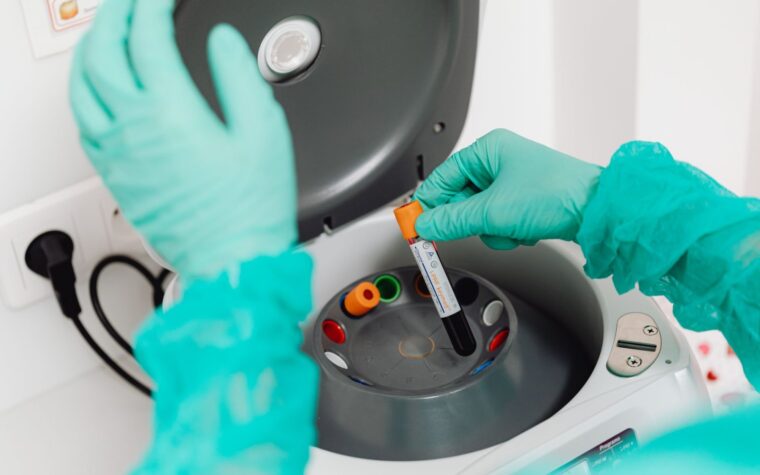
Function does not operate its own CLIA-certified laboratory. Quest Diagnostics processes the samples using the same equipment and methodology used for any Quest order. The differentiation Function adds is the panel design (curating which tests to include), the results interface, and the longitudinal tracking. The raw assay quality is Quest-grade, which is the same quality your primary care physician’s office would send out.
This matters for a specific reason: if your doctor wants to compare your Function results to a prior Quest result from their office, the values are directly comparable because the same lab ran them with the same instrumentation. You do not have the inter-laboratory variability that comes from comparing, say, a Quest TSH to a LabCorp TSH (slightly different reference ranges, different calibrators).

Reading the Color Flags: What Green, Yellow, and Red Actually Mean
The most common point of confusion once results land is the color-coded flag system. A red flag does not automatically mean disease, and a green flag does not guarantee everything is fine. Understanding how these apps assign color prevents both panic and false reassurance.
Most comprehensive-panel apps, Function included, apply two layers: the standard lab reference range (the wide statistical band the lab prints) and a tighter “optimal” band the platform overlays. A value can clear the lab’s range but still land in yellow because it sits at the edge of the optimal zone. Fasting glucose is the classic example: a lab calls anything under 99 mg/dL normal, but a reading of 95 to 98 mg/dL may show yellow because it is trending toward the prediabetic zone. That is a feature, not an error, but it means you should always read the actual number and its unit, not just the color.
A sensible way to triage your own report:
- Green: note it and move on, but still eyeball the trend line if you have prior draws.
- Yellow: usually a lifestyle or monitoring signal, not an emergency. Re-check on your next panel and look at related markers before acting.
- Red: worth a conversation with a clinician, especially for cardiac, thyroid, kidney, or glucose markers. A single red value is a prompt to investigate, not a diagnosis.
The Cardiovascular Markers Worth Understanding Before You Draw
A large part of the value in a 100-marker panel is the advanced cardiovascular set that a standard lipid panel skips. Knowing what these numbers mean before your results arrive makes the report far more useful. These are the markers that most often justify the broader panel.
| Marker | General target for lower risk | Why it matters |
|---|---|---|
| ApoB | Commonly cited target under about 70 mg/dL for lower risk | Counts the actual number of atherogenic particles, a better risk marker than LDL cholesterol alone. |
| Lp(a) | Under roughly 125 nmol/L (about 50 mg/dL) | Genetically set, tested once in a lifetime for most people. High Lp(a) raises heart-disease risk independent of diet. |
| hs-CRP | Under 1.0 mg/L is favorable | A marker of vascular inflammation that traditional lipid testing misses entirely. |
| Homocysteine | Generally under 15 umol/L, many aim lower | Elevation is linked to cardiovascular risk and often reflects B-vitamin status. |
Lp(a) deserves special mention because it is the one advanced marker almost nobody has tested through routine care. It is largely genetic, so a single lifetime measurement tells you whether you carry an inherited risk that no amount of clean eating will erase. Multiple cardiology sources place the risk inflection point around 125 nmol/L, roughly 50 mg/dL, above which risk climbs meaningfully. If a comprehensive panel gives you nothing else, that one number can reshape how aggressively you and a clinician manage the rest of your cardiovascular picture. These targets are general reference points and should be interpreted with a clinician against your personal risk profile.
What to Actually Do With an Abnormal Result
A flagged value is the beginning of a process, not the end. The mistake proactive users make is reacting to a single out-of-range number by immediately buying supplements or changing medication. A more measured sequence protects you from chasing noise:
- Confirm it is not a prep artifact. Ask whether the marker required fasting, whether the draw was at the right time of day, and whether any supplement (biotin is a frequent culprit) could have skewed the assay. A non-fasted glucose or an afternoon cortisol can produce a false flag.
- Read the related markers together. One number rarely stands alone. A borderline ferritin makes more sense next to hemoglobin and MCV; a flagged glucose is clearer alongside HbA1c and fasting insulin. Interpretation lives in the panel, not the single line.
- Re-test before acting on borderline values. Day-to-day biological variation is real. A mildly abnormal result on one draw that normalizes on the next was likely noise. A value that persists across two draws is a signal.
- Bring genuinely abnormal findings to a clinician. Async review flags the problem; it does not manage it. Cardiovascular, thyroid, kidney, and oncologic flags in particular warrant a real provider who knows your history.
This is where the difference between a data platform and a care relationship becomes concrete. The panel hands you information. Turning that information into a decision is still a human conversation, and knowing that in advance sets the right expectations for what a lab membership can and cannot do.
Turn what you just learned into action.
Superpower lets you test 100+ biomarkers from home, then re-check them over time so you can actually see progress, physician-reviewed at every step.
FAQ
How does Function Health work for the blood draw?
Function sends a digital lab requisition to a Quest Diagnostics patient service center near you. You book an appointment through Quest, walk in, and a phlebotomist draws 10 to 15 tubes. The draw itself takes about 10 minutes. No doctor visit is required because a Function-affiliated clinician issues the order.
How long does it take to get Function Health results?
Most routine markers (metabolic panel, lipids, thyroid TSH, CBC) come back within 2 to 5 business days. Specialty or slower-processing markers like Lp(a), free T3/reverse T3, DHEA-S, and some hormonal panels can take 7 to 10 business days. Results appear in the Function app in batches as they clear.
Do I need a doctor to use Function Health?
No. Function operates under a physician-supervised model where its own affiliated clinicians issue the lab order. You do not need a referral or an appointment with your personal physician to get the panel ordered. You do need an active Function membership.
Does Function Health work with insurance?
Function Health does not bill health insurance. The membership fee is an out-of-pocket expense, though it is generally HSA and FSA eligible. If cost through insurance is a priority, you will need to go through your own doctor and hope your plan covers the specific markers you want.
What happens if Function Health finds something abnormal?
A Function-affiliated clinician reviews flagged values asynchronously and may send you a note through the app recommending follow-up with your own physician. Function does not provide ongoing care management. For significant abnormal findings (particularly cardiac, thyroid, or oncologic markers), you should bring the results to a primary care provider or specialist.
Can I use Function Health if I am already seeing a doctor regularly?
Yes, and many users do exactly this. Function results can be exported as a PDF and brought to any physician visit. Some users treat Function as a supplement to their annual physical, using it to capture markers their insurer-covered panel does not include.
How is Function Health different from Superpower?
Both services run approximately 100 biomarkers annually and use a direct-to-consumer lab ordering model. Key differences include draw network (Function uses Quest; Superpower also uses major draw networks), the exact panel composition, the interface design, and the clinician review model. For a side-by-side comparison, the superpower blood test review covers the full breakdown and how the two services compare on price and biomarker depth. For Superpower’s price specifically, see how much does superpower cost.
Is Function Health worth it for someone under 40 with no health issues?
The honest answer is: it depends on your goals. If you want a baseline record before any issues develop (and you are willing to actually act on unusual findings), a comprehensive annual panel at 35 can reveal pre-clinical trends that are far easier to address early. If you are just looking for reassurance that everything is fine, the extra data often does not change behavior and the cost may not be justified.
How often does Function Health run labs?
The standard membership includes one comprehensive panel per year. Some tiers or add-on options allow for a second mid-year draw. Certain biomarkers (like hormones or metabolic markers you are actively trying to shift) may warrant more frequent testing, but that typically requires add-on purchases or supplementing with your own doctor’s orders.
What makes Function Health different from just ordering your own labs at Quest?
You can order many individual tests directly at Quest or through services like Walk-In Lab without a membership, but assembling a 100-marker panel a la carte would cost several hundred to over a thousand dollars in individual test fees. Function bundles the panel at a fixed annual price, adds the app interface, and includes clinician review of flagged values, which the raw Quest portal does not provide.